
Grove 0.10.1: your spaces, your order
Grove 0.10.1 lets you reorder the space rail per workspace, keeps the Agent menu usable with a way to add a custom agent from it, moves Settings to a sidebar, shows open TODOs on each worktree, and tidies up Grove's menus.
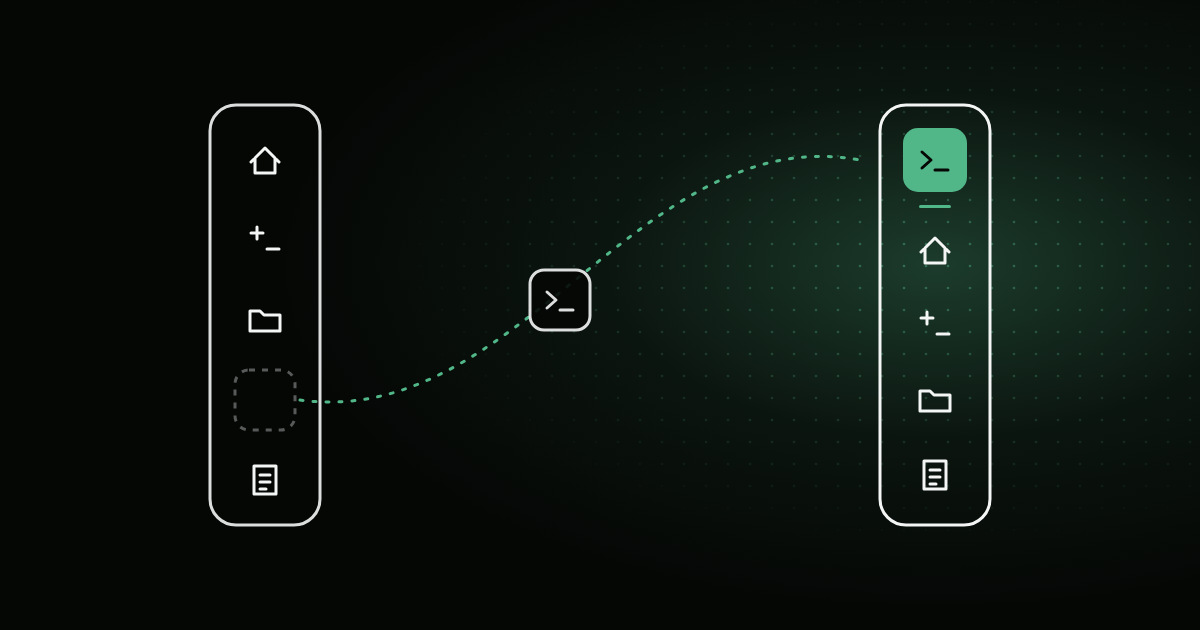
0.10.0 was a big one. 0.10.1 is the follow-up: smaller changes that came from using split layouts and a longer worktree list every day. You can now put the space rail in your own order, add an agent without leaving the session, find a setting without guessing which tab it’s under, and see which worktrees still have work left on them.
Reorder the space rail
The icons down the left side of a checkout (Home, Agent, Shell, Changes, Files, Notes) used to come in one order unless you opened Customize Spaces and changed it there. Now you can do it in place:
- Drag an icon up or down the rail. A line shows where it’ll land. Dragging it onto a pane in a split layout still shows it in that pane, same as in 0.10.0.
- Right-click an icon for Move Up, Move Down, Customize Spaces… and Reset Space Order. Move Up and Move Down are also available to VoiceOver.
The order belongs to the workspace, so every checkout of it changes at once, including ones you already have open. Reset Space Order puts the workspace back on the default order from Settings.
The Agent menu, always
The Agent menu in the toolbar used to go gray when you had fewer than two agents installed. That made sense for switching, but it also hid the only route from a session to adding another one. Now the menu is always enabled, always shows which agent you’re on, and has Add Custom Agent…, which opens Settings with the custom agent editor already up. Agents you add, edit or turn off in Settings show up in the menu right away, without your open tabs restarting.
Settings in a sidebar
Settings was a row of tabs, and Tools had become a drawer for everything: git, agents, the shell, terminal fonts. It’s now a sidebar with one pane per area: General, Agents, Terminal, Git, Spaces, Catalog, Experimental and License. Each tab’s own settings, like hidden files in Files or the diff font in Changes, moved under Spaces next to the rest of that tab’s options. The sections were also restyled so they look the same from pane to pane. Every setting keeps its value; only its address changed. Anything the 0.10.0 post sent you to under Settings → Tools now lives in Agents, Terminal or Git.
Open TODOs on each worktree
If you use Notes (still BETA, Settings → Experimental), each row in the Worktrees list now shows how many open TODOs that checkout has. Hover it to see its Working on line. Show TODOs in the row’s right-click menu switches to that worktree and opens its Notes. With ten worktrees in the list, it’s a quick way to see which ones you were in the middle of.
With Notes off, none of this appears.
Menus that behave
A pass over Grove’s menus:
- Checkmarks you can see. Menus where you pick one option (the Agent menu, Move to Group, and a few in Settings) now show the selection with the system’s own checkmark. On newer versions of macOS, the old one could disappear and leave no sign of which option was picked.
- One icon per action, the same everywhere it appears.
- Cleaner right-click menus. Items that delete something now sit last, after a separator. On the main checkout’s row, the item that renames the folder on disk now says Rename Folder…, so it can’t be mistaken for the Grove-only rename. Deleting a custom agent now asks first.
Get it
Grove 0.10.1 is up at grove.molayab.com, or as a direct download for a fresh install. If you’re already running Grove, accept the update alert.
None of this adds a new idea to Grove. It’s the kind of release that comes from living in the last one: the rail in the order you reach for things, settings where you’d look for them, and menus that say what they do.