
Grove 0.11.0: a sidebar you can arrange, and a Browser that starts somewhere
Grove 0.11.0 lets you drag workspaces and worktrees into your own order, give each workspace its own color and icon, open a start page for new Browser tabs, show each page's own icon on its tab, and moves menu shortcuts into View where you can find them.
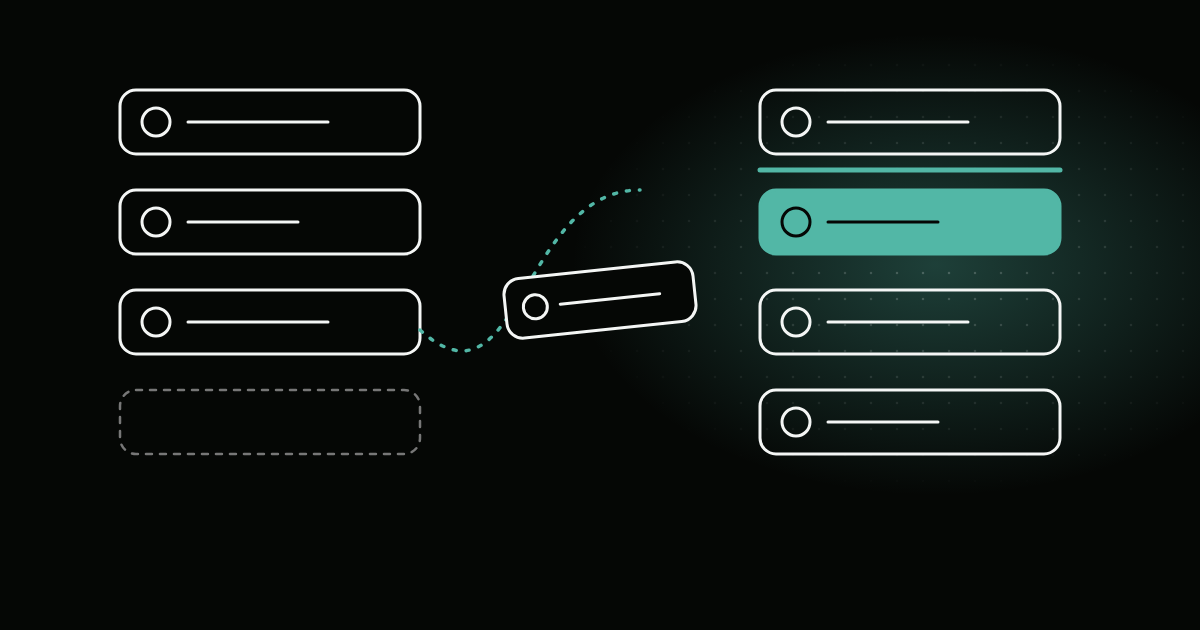
0.10.0 gave worktrees an order, but only through menus, and the workspace list above them still sorted itself by whatever you’d touched last. 0.11.0 is mostly about that sidebar: you can drag things where you want them, and tell workspaces apart at a glance. The Browser tab, the menu bar and the toolbar got a round of fixes along the way.
Drag to reorder
Both lists in the sidebar now take a drag.
- Workspaces. Drag a row, or use Move Up and Move Down from its right-click menu, the Workspace menu, or VoiceOver. Once you’ve moved one, the list stays in your order. Opening a workspace no longer floats it to the top, and workspaces you add later land at the end. If you never reorder, nothing changes: the list still puts the most recently opened first.
- Worktrees. Drag a linked worktree to any gap: into another group, out to Ungrouped, or onto a collapsed group’s header to drop it at the end of that group without expanding it. Drag a group’s header to reorder the groups. A line shows where the row will actually land. The main checkout stays at the top, and nothing can be dropped on Archived.
A worktree drop applies right away and, unlike archiving or deleting a group, has no undo. If it lands in the wrong place, drag it again.
A color and icon for each workspace
When you keep a dozen workspaces open, a row of initials doesn’t help much. Icon & Color…, in a workspace’s right-click menu and the Workspace menu, lets you pick an accent color and either a symbol from a list or a single emoji. It’s Grove-only, like Rename: your folder and repository are untouched. A workspace you haven’t customized keeps its initials. I also fixed the avatar sitting slightly off-center on its row.
A start page for new Browser tabs
Before, the Browser’s “+” opened a sheet asking you to name a site to pin. Now New Tab, “+”, and an empty Browser all open a start page: an address field, and under it the sites pinned to this worktree and to the whole workspace, filtered as you type.
Type an address and press Return and it’s pinned to the worktree you’re in. Only http and https are accepted, a bare localhost:3000 works, and if what you typed isn’t an address you get an inline message instead of a web search. Grove isn’t trying to be a search bar. It’s the place your project’s dev server, docs and dashboards live.
Two smaller Browser changes. Tabs now show the loaded page’s own icon, falling back to the site’s default one, so a row of pins is easier to tell apart. And Pin This Page in the toolbar picks up the same tint as every other toolbar control.
Menus and shortcuts you can find
The shortcuts for switching spaces (⌘1 and up) and opening the command palette (⌘K) used to work without appearing in any menu, which made them easy to miss. They’re now in View, along with Open Palette…, Split Layout and each space’s own actions. The Workspace menu now mirrors the right-click menus on workspaces and worktrees, same titles and same order.
That cleanup also fixed a real clash: two commands shared ⌥⌘↑ and ⌥⌘↓, and which one ran depended on the menu’s search order. Moving a worktree is now ⌃⌥⌘↑ and ⌃⌥⌘↓, and the split-layout shortcuts only live under View › Split Layout. If you’d learned the old moving keys, they’re one modifier off.
Toolbar and Settings
The toolbar controls now look the same from space to space: monochrome by default. If you’d rather have them in your accent color, turn on Tint toolbar controls in Settings → General → Appearance. It’s all or nothing, so you never get a mix. The icons in Settings’ sidebar follow your accent color too.
Smaller fixes
- Rename Folder… on a main checkout now also repairs linked worktrees that live inside that folder. Before, a worktree nested under the repository could be left pointing at the old path.
- The Go to Commit sheet shows the commit’s file list on the first click instead of the second.
Get it
Grove 0.11.0 is up at grove.molayab.com, or as a direct download for a fresh install. If you’re already running Grove, accept the update alert.
Nothing here is a new idea. It’s the sidebar finally letting you decide the order, and a few places that were hiding things getting out of the way.